Google Classroom Learning Management System (LMS) with our BC7200 Interactive Smartboard
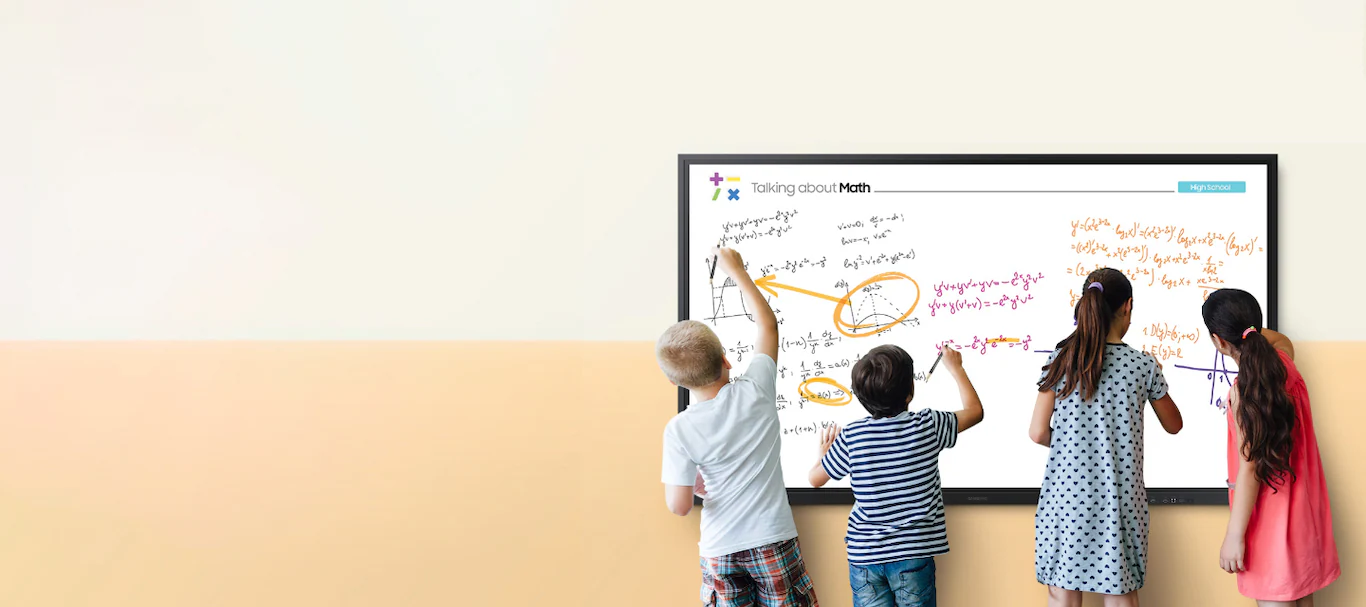
Google Classroom is a free, cloud-based learning management system (LMS) that organizes assignments, facilitates communication, and manages digital resources. This product comes as part of a wider array of solutions offered under Google for Education tools that work together to transform teaching and learning so that every student and educator can pursue their personal potential.
When paired with an interactive smartboard—such as our BC7200—it becomes a dynamic hub for teaching and learning. Here’s the synergy:
-
Direct App Access: Many modern smartboards run Android OS and have built-in access to the Google Play Store. Teachers can launch Google Classroom directly on the smartboard without needing an external device.
-
Screen Sharing and Display: Teachers can display Google Classroom’s interface—assignments, announcements, or student work—on the smartboard’s large, touch-sensitive screen. This makes content visible to the entire class and interactive for hands-on engagement.
-
Real-Time Collaboration: Smartboards support multi-touch functionality (e.g., up to 40 touch points on our BC7200 model), allowing students to interact with Google Classroom content—like dragging and dropping answers or annotating documents—directly on the board.
-
Integration with Google Workspace: Google Classroom syncs with tools like Google Docs, Slides, and Drive, which can be edited live on the smartboard. Teachers can pull up a Doc or Slide, annotate it with a stylus or finger, and save changes back to Classroom.
-
Assignment Distribution and Feedback: Teachers can assign tasks from Classroom via the smartboard and later review submissions on the same screen, providing real-time feedback that students can see and discuss as a group.
-
Multimedia Enhancement: Smartboards can play videos, display images, or access web resources linked in Classroom, leveraging their 4K UHD displays and audio capabilities to make lessons more engaging.
Classroom Scenario: A Compelling Case for Investment
Imagine a 7th-grade history class studying the American Revolution. Here’s how Google Classroom and our interactive smartboard could transform the lesson and justify the investment:

Setup
-
Teacher Prep: Mrs. Wangui uploads a Google Slides presentation on key battles, a YouTube video with interactive questions, and a map activity to Google Classroom before class.
-
Smartboard: The classroom’s BC7200 Interactive Smartboard is powered on, with Google Classroom already open via its Android interface.
Lesson Flow
-
Warm-Up (Engagement): Mrs. Wangui displays the Classroom “Stream” on the smartboard, showing a warm-up question: “What sparked the Revolution?” Students come up to the board, using the multi-touch feature to write their answers directly on a digital whiteboard linked to Classroom. The large, clear display ensures everyone can see and discuss responses.
-
Direct Instruction (Visual Learning): She pulls up the Google Slides from Classroom on the smartboard. Using the stylus, she highlights key points on the Battle of Bunker Hill, zooming in on a timeline with touch gestures. The 4K display makes details pop, keeping students focused.
-
Interactive Activity (Collaboration): Mrs. Wangui opens a blank map of the colonies from Classroom’s “Classwork” tab. In groups, students use the smartboard’s dual-pen function to mark battle sites, dragging labels from a Classroom assignment into place. The board’s 40 touch points let multiple students work simultaneously, fostering teamwork.
-
Multimedia Integration (Immersion): She plays the YouTube video from Classroom, pausing to answer embedded questions live on the smartboard. Students tap correct answers, and the board tracks responses, showing instant results for discussion.
-
Wrap-Up (Assessment): Mrs. Wangui screenshots the annotated map and uploads it to Classroom as a review resource. She assigns a reflection question (“How did geography influence the war?”) via the smartboard, which students can complete on their devices or at home.
Post-Lesson Benefits
-
Absent Students: The saved map and video are accessible in Classroom, ensuring no one falls behind.
-
Parent Insight: Parents opt into Classroom’s email summaries, seeing what their kids accomplished.
-
Teacher Efficiency: Mrs. Wangui grades reflections directly in Classroom, displayed on the smartboard next class for feedback.
Why Schools Should Invest
This scenario highlights why interactive smartboards such as ours paired with Google Classroom are worth the investment:
-
Boosted Engagement: Students actively participate—writing, dragging, and discussing—rather than passively listening. Studies show interactive displays increase attention and retention.
-
Equity and Inclusion: Visual, auditory, and kinesthetic learners all benefit from the multimedia and hands-on approach. The large screen ensures visibility for all. Read more about the different learning styles and how kinesthetic learners can benefit from using smartboards.
-
Efficiency: Teachers save time by managing lessons digitally, reducing paper use and prep work. Classroom’s free platform cuts software costs.
-
Future-Ready Skills: Students gain tech fluency, collaboration, and critical thinking skills, aligning with 21st-century education goals.
-
Cost-Effectiveness: While our smartboards range from $1,000 to $5,000, their durability and Google Classroom’s free access offset long-term expenses compared to traditional tools.
The Pitch

For a school with a $10,000 tech budget, investing in 5-10 smartboards (depending on model) equips classrooms with a versatile tool that amplifies Google Classroom’s capabilities. The result? A modern, interactive learning environment that justifies the cost through improved outcomes—higher engagement, better test scores, and happier teachers and students.
Mrs. Wangui’s class is just one example; multiply that across subjects and grades, and the case becomes undeniable. Talk to us today, and we will walk this tech journey together as we develop the most suitable classroom solution for you.
Posts Widget
-
1

-
2

-
3

-
4